
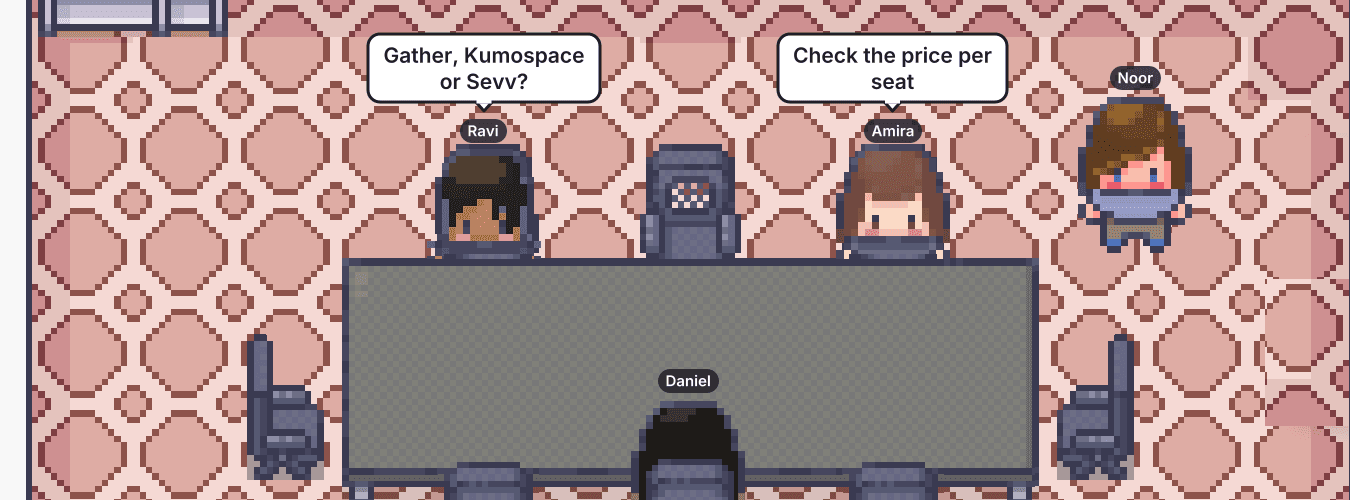
Virtual office tools for remote teams in 2027, compared on real cost and daily fit, with a side-by-side look at Gather, Teemyco and Kumospace.
The best virtual office software depends on what you want it for. If you want a place your team sits in every day, look at Sevv, Teemyco, Teamflow and SoWork. If you want a place for events and socials, flat.social and SpatialChat lean that way. Gather and Kumospace cover both and cost more per seat than most of the rest.
A question that would take thirty seconds at a desk now waits for a calendar slot on Thursday. The standup runs with four of six people never unmuting. The newest hire has not met anyone outside their own team. Zoom and Slack both do their jobs. The gap is that nobody can see who is around, so nobody walks over.
This guide compares the virtual offices remote teams shortlist most often, on what they cost for a real team, how they feel on an ordinary day and who each one suits. They are Sevv, Gather, Kumospace, SoWork, Teamflow, SpatialChat, Teemyco, flat.social and Walkabout Workplace. We make Sevv, so we have put our own price and limits in the same lists as everyone else's. All prices are in USD.
Pricing and feature details reflect public vendor information as of October 2026 and change often. Confirm current rates, plan details and certifications with each vendor before you buy.
What a virtual office does that Zoom and Slack cannot
Zoom, Google Meet and Slack are built around scheduled, single-purpose moments. You book a call, join it and leave. That works for planned work. It does not produce the five-minute conversation that settles a problem before it becomes a meeting.
A virtual office is a place your team stays in. Everyone has a desk and you can see who is at theirs. A conversation starts when two people move close or one knocks on a meeting room door. The best ones recreate the ambient awareness of a shared floor, which is the first thing remote teams lose. Our guide to remote team communication covers where this fits alongside async tools.
The features worth comparing are few:
- Presence that stays on, so you can see who is at their desk, in a meeting or heads-down
- Proximity audio and video, so conversations start without a link
- Drop-in rooms that need no calendar invite
- Closed doors and mute by default, so nobody feels watched
- Calendar and Slack integrations, so the office does not become another silo
Avatars, maps and games vary a lot between tools. They shape how the office feels, so try the look with your team before you commit.
How to choose a virtual office for a team of 1 to 100
Start by deciding whether you need daily presence or occasional events. Daily presence needs a space that stays on and a price you will not resent paying for everyone. Events need capacity for a few hours, which is why day passes exist. Get this wrong and the rest of the comparison is noise.
Next, look at how you are charged. Most tools bill per member, whether that person logs in or not. flat.social bills per concurrent seat, so a team of 50 with 30 online at once buys 30 seats. Price your team at the size you expect in twelve months. A tool that looks cheap at 15 people can look different at 80.
Then check performance. Avatar-based tools can run heavy on older laptops, and marketing screenshots will not tell you. Ask the three people with your oldest machines to use it for a week.
Privacy decides whether people stay. Look for closed rooms, mute by default and clear rules about who can hear whom. Anything that feels like monitoring costs you the trust the office was meant to build. We wrote about building connection without surveillance for that reason.
Finally, integrations and security. Calendar and Slack links decide whether people remember the office exists. If you need SSO, SOC 2 reports or data residency, ask for the documents, because a badge on a pricing page tells you little. Several tools here keep SSO on their enterprise tiers.
Rank all of this by what your team struggles with on a Tuesday, not by what sounds good in a demo.
The best virtual office software platforms for remote teams in 2027
Each entry covers what the tool does, where it falls short and what it costs. Sevv comes first because we wrote this, so read that entry with it in mind.
Sevv
Sevv is a virtual office for remote and hybrid teams. Each person has a desk, you can see who is at theirs, and a quick question feels like walking over. There are meeting rooms for conversations that need a door and social spaces for the ones that do not. You can invite guests in and book meeting rooms ahead. Audio and video follow proximity, and everything runs in the browser with no headset.
It fits teams of 1 to 100 that want to be in the same place every day. The limits are plain. Sevv is a new product, and integrations with calendar, Slack and project tools are still being added. The first features expected are AI summaries and recordings, targeted for early in the first quarter of 2027. Avatar customisation and Events Mode follow later in that quarter. These are the first items on a longer roadmap. Sevv also supports up to 100 concurrent users today, so a company of 500 should look elsewhere for now.
Pricing starts with Growth at $4.99 per user per month, or $3.99 per user per month paid annually, for 1 to 100 seats. You can try Sevv free for 30 days with your whole team.
Gather
Gather made the pixel-art virtual office famous. Your team walks around a custom 2D map, and video connects when avatars get close. The map builder is the draw. You can build almost any office, campus or island, and teams that enjoy building tend to enjoy Gather.
Reviewers say it runs heavy on older machines. The pricing has also changed. Gather has dropped its permanent free option, and Gather 1.0 and 2.0 now cost the same. That is $15 per user per month billed monthly, or $12 billed annually, after a 30-day free trial. At 50 people that is $750 a month, or $600 on annual billing. It suits teams that want a highly customisable, game-like office and have the budget for it.
Kumospace
Kumospace pairs spatial audio with a browser-based office that teams can brand with their own decor, games and interactive objects. Setup is quick and nothing installs.
Users report inconsistent audio and video quality in larger meetings, a learning curve and limited chat features. It is also the most expensive tool on this list per seat. The Business plan is $20 per member per month, or $16 billed annually, and a free option covers up to 5 members. Enterprise pricing is custom. At 50 people that is $1,000 a month, or $800 on annual billing. It suits mid-sized teams that want a branded office without a heavy technical lift.
SoWork
SoWork puts AI meeting summaries, transcripts and team analytics on top of a spatial office. It has an immersive map and a simplified view without the game feel, which helps with colleagues who find avatars silly.
The AI tools sit behind the Premium tier. SoWork has a free option for up to 10 members, with a 30-minute limit per meeting. Basic is $6 per member per month and Premium is $15, both lower when billed annually. SSO and SCIM come with Enterprise. At 50 people, Basic is $300 a month and Premium $750 on monthly billing. It suits teams that want meeting notes written for them.
Teamflow
Teamflow builds its office around embedded apps. Google Docs, Trello and Notion open inside the room, and anything left in a room stays there. That suits teams who spend their day inside a handful of documents.
The free option allows 5 employees, 10 guests, 45-minute meetings and 5 open apps per person. Seed is $15 per employee per month billed yearly, or $20 billed monthly. Business is $25 billed yearly, or $30 billed monthly. A floor holds up to 200 people, and Enterprise adds SSO and SCIM. At 50 people Seed comes to $750 a month on annual billing. It suits teams that want their daily tools inside the office.
SpatialChat
SpatialChat built its name on proximity audio for virtual events. In February 2026 it acquired Teemyco, covered next, to build out Cloud HQ, its always-on workspace with AI agents inside.
SpatialChat is proven for large events and webinars, and its marketing still leans that way. If you want the daily office side, ask what the Cloud HQ roadmap looks like and whether today's prices are fixed. The free option covers 2 hours a day for up to 12 participants. Day passes start at about $3 per user per day and business plans at about $79 a month for 25 users. It suits teams that need event capacity alongside a daily office.
Teemyco
Teemyco is a Stockholm-based virtual office with more than five years behind it, now owned by SpatialChat. It is the office side of that pair, with persistent rooms and availability indicators in the browser.
Ask what the roadmap looks like after the acquisition and whether today's prices are fixed. Teemyco costs $8 per user per month, or $6 billed yearly, with a 14-day free trial and custom pricing for teams of 250 or more. At 50 people that is $400 a month, or $300 on annual billing. It suits teams that want a simple, low-priced office that stays on.
flat.social
flat.social is the most playful tool here. It combines proximity audio with a physics engine and built-in games, runs in the browser and needs no download. Guests join free from a link, which makes it easy to bring in clients or candidates.
Pricing follows concurrent seats, where one seat is one spot in the flat at a time. The free option covers up to 5 people at once with unlimited session length. Monthly is $6 per seat per month for 10 to 100 seats. A Day Pass is $2 per seat per day for one-off events, with a 10-seat minimum. A team that needs 50 seats pays $300 a month. The ceiling is 100 people at once. Presence is session-based, so there is no always-on status showing who is around between visits. It suits teams that value social energy and events over an always-on desk.
Walkabout Workplace
Walkabout Workplace offers a branded 3D office with a personal space for each employee and a virtual receptionist for guests. A floor plan shows where colleagues are. Customisation goes deep, and reviewers like the personal touches.
Pricing is not published, so budgeting starts with a sales call. Some past users say the tool tried to replace too many others at once instead of focusing on presence. It suits teams that want an immersive, branded office and are comfortable with a sales-led buying process.
Gather, Teemyco and Kumospace compared
These three appear together on most shortlists, so here they sit side by side. One thing to know first. Teemyco now belongs to SpatialChat, so its roadmap and prices can change.
Gather | Teemyco | Kumospace | |
|---|---|---|---|
Price (monthly) | $15 per user | $8 per user | $20 per member |
Price(annually) | $12 per user | $6 per user | $16 per member |
50 people, per month | $750 monthly or $600 annual | $400 monthly or $300 annual | $1,000 monthly or $800 annual |
Free option | 30-day free trial, no permanent free option | 14-day free trial | Up to 5 members |
Look and feel | Pixel-art 2D map | Spatial office layout with rooms | Branded browser office with custom decor |
Strongest point | Highly customisable maps and strong brand recognition | Persistent rooms at a low price | Quick setup with nothing to install |
Watch out for | Heavy on older laptops and no permanent free option | Now owned by SpatialChat, so roadmap and prices may shift | Highest price per seat and mixed audio and video in larger meetings |
Best for | Teams that want a game-like office | Teams that want a simple, low-priced office that stays on | Mid-sized teams that want a branded office fast |
Read the price lines first. For 50 people, Teemyco comes to $300 to $400 a month, Gather to $600 to $750 and Kumospace to $800 to $1,000. For comparison, 50 people on Sevv cost $199.50 to $249.50 a month. Whether the extra at the top of that range is worth it depends on how much your team cares about customisation. Try all three with the people who will use them daily.
What virtual office software really costs
The sticker price rarely tells you the bill. Most tools charge per member, so cost scales with headcount whether people log in or not. flat.social charges per concurrent seat. SpatialChat and Gather add day passes and event packs, which blur the comparison. The list gives published prices as of October 2026, plus what 50 people would pay each month.
Free option | Entry paid price | 50 people, per month | Notes | |
|---|---|---|---|---|
Sevv | 30-day free trial | $4.99 per user per month ($3.99 annual) | $249.50 monthly or $199.50 annual | 1 to 100 seats |
Gather | 30-day free trial | $15 per user per month ($12 annual) | $750 monthly or $600 annual | Gather 1.0 and 2.0 share pricing |
Kumospace | Up to 5 members | $20 per member per month ($16 annual) | $1,000 monthly or $800 annual | Enterprise is custom |
SoWork | Up to 10 members | Basic at $6 per member per month | $300 on Basic, $750 on Premium | Premium is $15 and holds the AI tools |
Teamflow | Up to 5 employees | Seed at $15 per employee per month, billed yearly | $750 on annual billing | Business is $25, billed yearly |
Teemyco | 14-day free trial | $8 per user per month ($6 annual) | $400 monthly or $300 annual | Custom pricing for 250 or more |
flat.social | Up to 5 people at once | $6 per seat per month | $300 for 50 seats | Priced by concurrent seat, 100 seat ceiling |
SpatialChat | 2 hours a day, 12 participants | About $3 per user per day | Not comparable | Event pricing, business plans from about $79 a month for 25 users |
Walkabout Workplace | Not published | Custom quote | Quote only | Sales-led |
A free option for 5 to 12 people is enough to try a tool and not enough to run an office on. Budget from the first paid tier.
How to roll out a virtual office so it does not become a ghost town
Most virtual offices fail the same way. The team signs up in week one and has a look around. By week three the desks are empty, because nothing gave anyone a reason to be there. The habit was missing. The software was fine.
Start with one ritual that lives in the office. A ten-minute standup in a meeting room works. So does coffee at 10 on Wednesdays. Pick one and hold it for a month before adding anything else.
Get managers to sit at their desks first. If leaders are invisible, everyone else will be too. Agree the door rules on day one: a closed door means heads-down, an open door means knock, and mute is the default.
Keep Slack for async work and use the office for the conversations that need a voice. If your real problem is loneliness, our guide to remote work loneliness covers what helps and what backfires.
Run any trial with the whole team, not only the person who chose the tool. Thirty days shows you who still turns up once the novelty has worn off.
When a virtual office is the wrong answer
A team of six across two time zones that share one working hour will leave the desks empty, whichever tool they pick. A company that wants 500 people in one live event needs an events tool, and Sevv and flat.social both stop at 100 concurrent users today. If the real problem is that nobody writes anything down, a virtual office will give you more conversations and the same missing documentation.
The right pick is the one that fits the Tuesday your team really has.
If that Tuesday needs a daily, always-on office, join the Sevv waitlist.