


Your remote team, in one office.
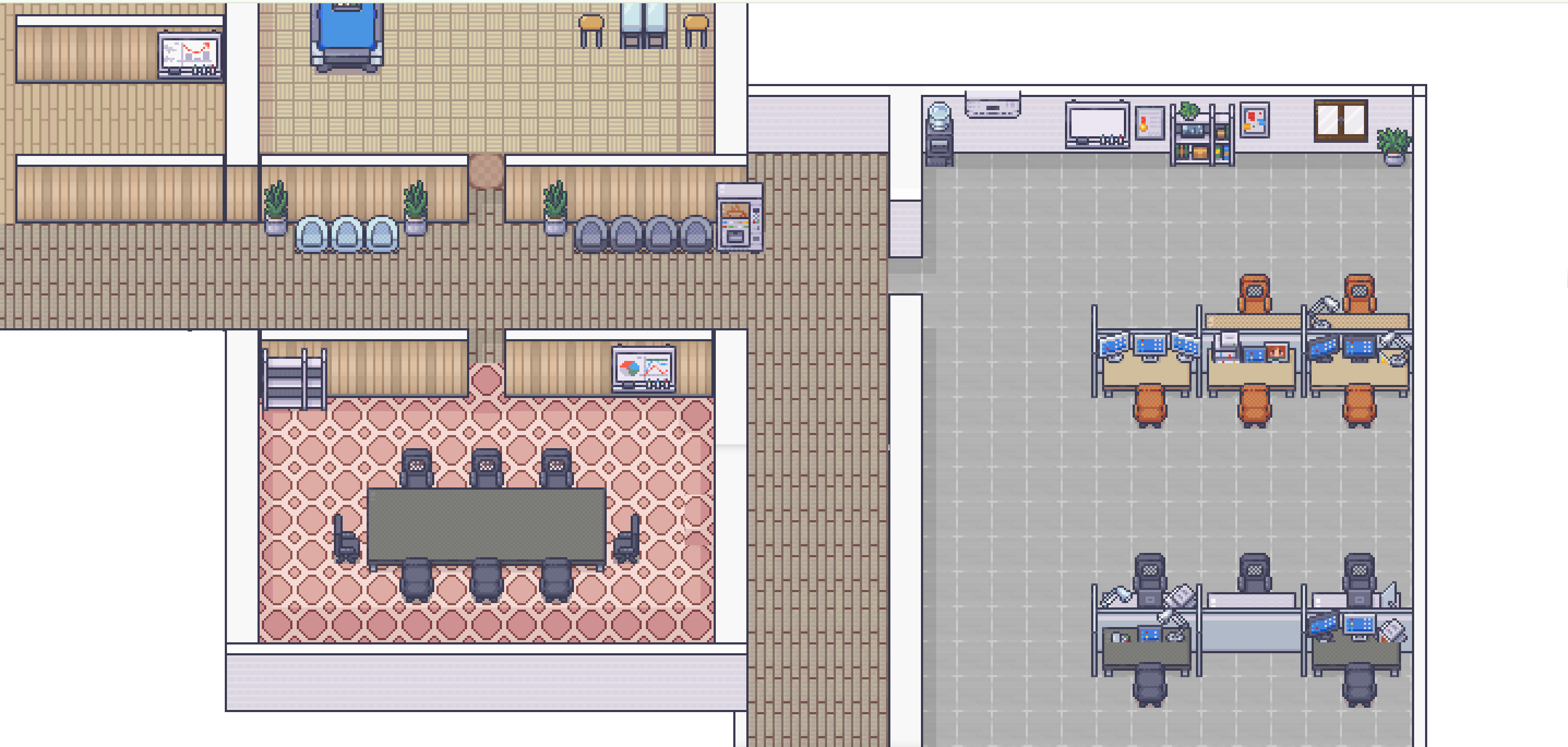
Sevv puts your whole team on one office map. See who’s in, walk up to someone and start talking. Built for remote teams of any size.













The problem
Remote work makes small conversations hard.
You can’t just turn around and ask
In an office, you’d lean over and talk. Remotely, every conversation has to be set up first.
You can’t tell who’s free
Chat tools show a green dot. They don’t show whether someone is busy, in a call or happy to talk.
Nobody bumps into anybody
The unplanned coffee chats that built trust and sparked ideas now need an invite, so they quietly disappear.
Testimonials
What teams say about Sevv
“Remote work has made collaboration easier in many ways, but we’ve lost some of the spontaneity that makes teams effective. What I like about Sevv is how naturally it brings those conversations back, without the overhead of scheduling yet another meeting.”
CTO, Openprovider
“Sevv is a fun virtual meeting space that boosts creativity and makes collaboration easier and friendlier, while still giving you the option to step back and focus on deep work. We love the look and feel, and the interaction is intuitive. We see strong potential, especially for bigger teams.”
Abrcadabra Solutions
“Sevv is fun and nice. The whole layout is great, and meeting up as characters in the virtual office adds a touch of fun to the workday. Audio and video work well, and the whiteboard is useful. For a growing team, I can see it becoming part of how we connect.”
NBS IT Recruitment
How Sevv works
Three steps to get started
Step 1
Join your workspace
Open your team’s link in the browser. There’s nothing to install.
Step 2
See your team
Everyone appears on the office map, so you can see who’s in and what they’re doing.
Step 3
Walk over and talk
Move your avatar next to someone to talk. Move away when you’re done.
Proximity audio
Walk up to someone to talk to them.
Audio in Sevv depends on distance. Stand next to a colleague and you hear them clearly. Move away and their voice gets quieter until it stops. You don’t need to start or end a call.
- Join a conversation by walking up to it
- Hear nearby conversations quietly in the background
- Leave by walking away
Screen sharing
Share your screen with the room.
Walk into a meeting room and share your screen with everyone inside. The people around you see it straight away, with no new call and no link to send.
- Everyone in the room sees your screen
- Cameras stay on next to the shared screen
- Walk out of the room to stop sharing
Whiteboard
Think it through on the whiteboard.
Walk up to the whiteboard and share it with your team. Add notes, sketch a flow and work it out together while you talk.
- Share the whiteboard with the people you’re talking to
- Sticky notes and drawings, live for everyone
- Cameras stay on next to the board
Features
What’s in Sevv
Office templates
Pick one of the office templates, with rooms, desks and meeting spaces ready to go.
Your team on one map
See who’s in, where they are and who they’re talking to, updated live.
Private rooms
Go into a room when a conversation needs to stay private.
Screen sharing
Share your screen with the people next to you, without starting a new call.
Chat
Send a message to one person or the whole office when talking isn’t the right fit.
Whiteboard
Sketch ideas and add notes together on a shared whiteboard while you talk.
Teleportation
Jump straight to a colleague or a room instead of walking across the office.
AI summaries and recordings
Get a summary and a recording of a conversation after it ends.

Sevv goes live on 14 December
Join the waitlist to be one of the first teams to use it.
FAQ
Questions about Sevv
What is Sevv?
+
Sevv is a virtual office for remote teams of any size, from one person upwards. Your whole team appears on one office map in the browser, so you can see who’s in, walk your avatar up to a colleague and start talking without sending a link or booking a call.
How does proximity audio work?
+
Audio in Sevv depends on distance on the office map. Stand next to someone and you hear them clearly; move away and their voice fades out. Walls block sound, and meeting rooms are private: everyone inside hears the whole room and nobody outside can listen in.
Who is Sevv for?
+
Remote and hybrid teams of any size, from one person upwards, who want quick, spontaneous conversations without turning every question into a meeting.
Do I need to install anything?
+
No. Sevv runs in the browser. You join your team’s office with a link.
Does Sevv have video and screen sharing?
+
Yes. Turn your camera on to show a live video bubble to the people near you, and share your screen with everyone in your room.
Can I invite people from outside my team?
+
Yes. You can invite external guests, such as a client or a candidate, into your office by email.
How do I get started with Sevv?
+
Sevv goes live on 14 December 2026. Join the waitlist and we’ll email you when it opens.